
Wallet, credits and connected apps
Understand your Fulcrum Wallet balance, held credits, subscriptions, top-ups, credit lots, connected apps and transaction history.
Wallet shows the credits and billing context for the selected account or workspace. Open Wallet in Fulcrum Mail. Guests may not have access. Check the displayed account before paying or investigating usage.
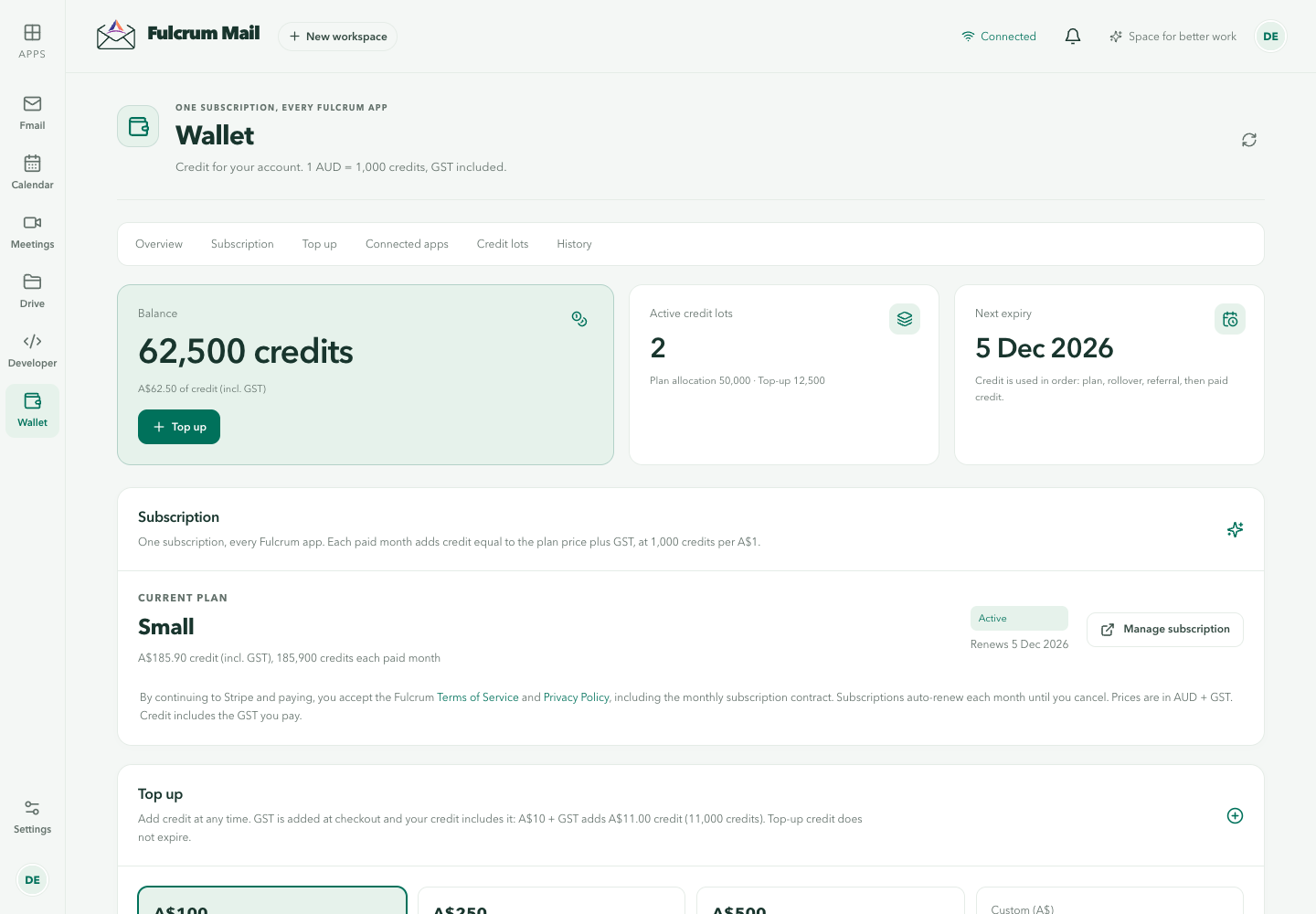
Read the balance
The balance is shown in credits and as an Australian-dollar value. The current Wallet UI uses 1 AUD = 1,000 credits, GST included. Credits on hold have been reserved for work and are different from final charges. An overdrawn amount needs attention before further paid work can continue.
Understand the sections
| Section | What to check |
|---|---|
| Overview | Current balance and account summary |
| Subscription | Plan and available subscription actions |
| Top up | Amount and checkout before payment |
| Connected apps | Which applications use this Wallet |
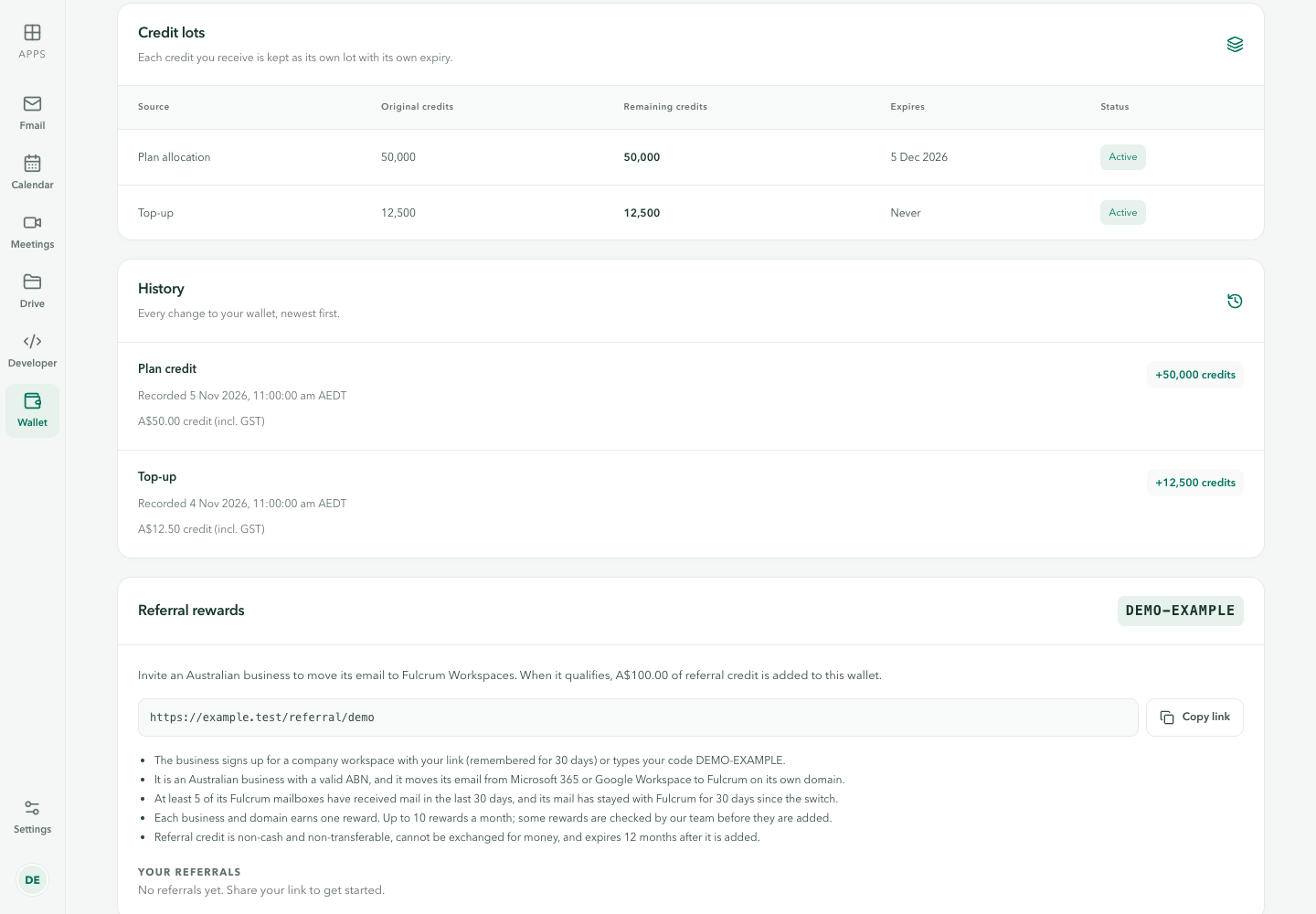
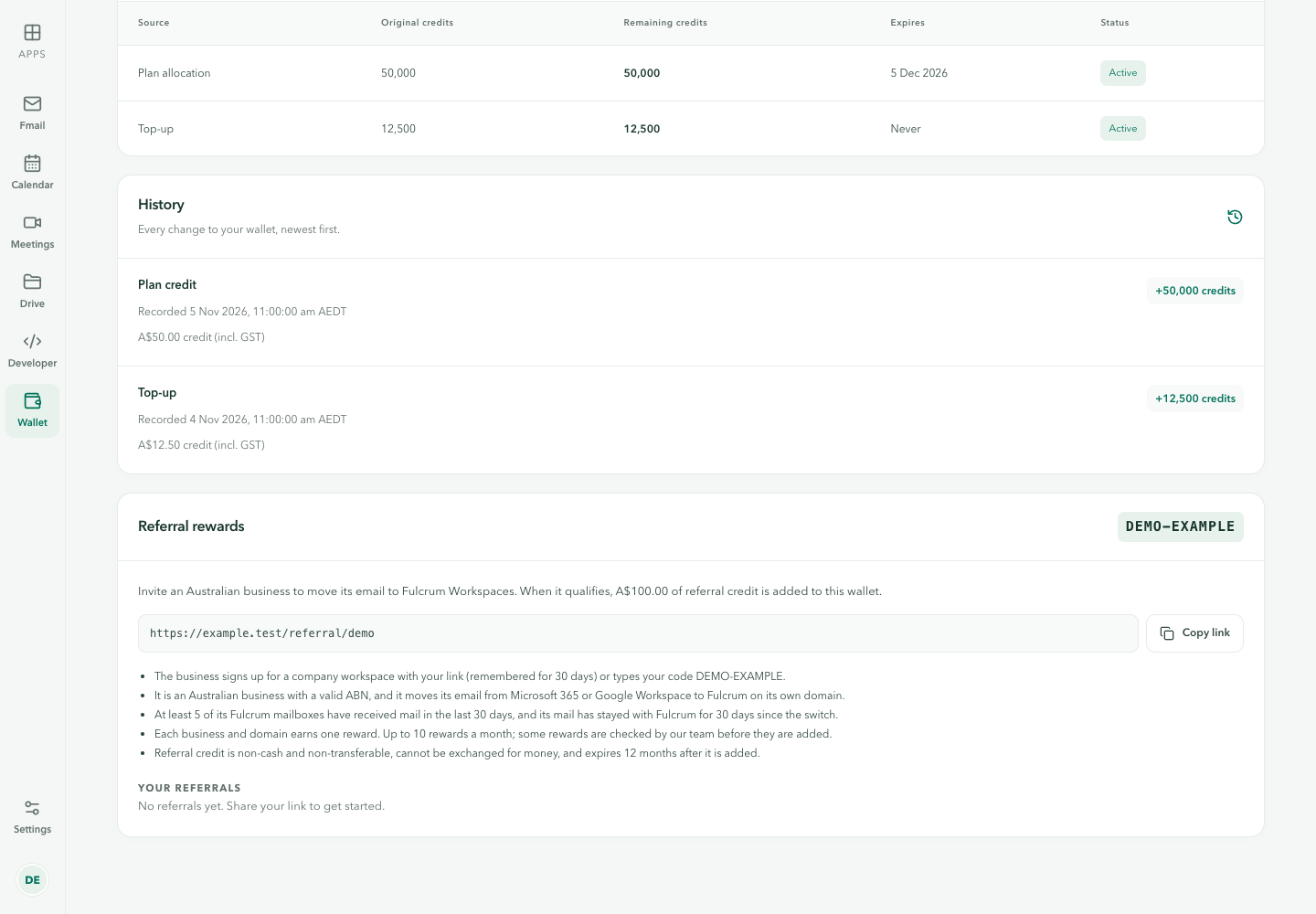
| Credit lots | Where credits came from, remaining amount and expiry |
| History | Changes to the balance, newest first |
Add credit
- Open Top up in the intended Wallet.
- Select the offered amount and read the checkout details.
- Complete the payment through the displayed payment provider.
- Return to Wallet and confirm both the balance change and the History entry.
A checkout redirect or a pending payment alone does not prove credit was applied. If the result is unclear, inspect the payment status and Wallet history before paying again.
Credit lots and expiry
Credits are recorded in lots. Check each lot's source, original credits, remaining credits, expiry and status. Subscription, purchased and promotional credit can have different rules. Use the lot's displayed expiry rather than assuming the entire balance is permanent.
Connected services
Connected apps can consume shared credits, but an app's own service and number charges may have additional details. For voice usage and phone rentals, also read Lyre credits and billing. For coding model usage, see Code usage tracking.
Resolve a balance question
Compare the account, time, credit lots and History entries. A hold can differ from the settled charge. Record the transaction reference and app involved, but omit payment card details and account tokens from a support request. Current plans and checkout govern price and inclusions; this guide does not promise a fixed allowance.
Wallet from Cortex Chat
Use the illustrated Wallet and billing guide for the Chat account menu, Add credits, transaction checks and troubleshooting.
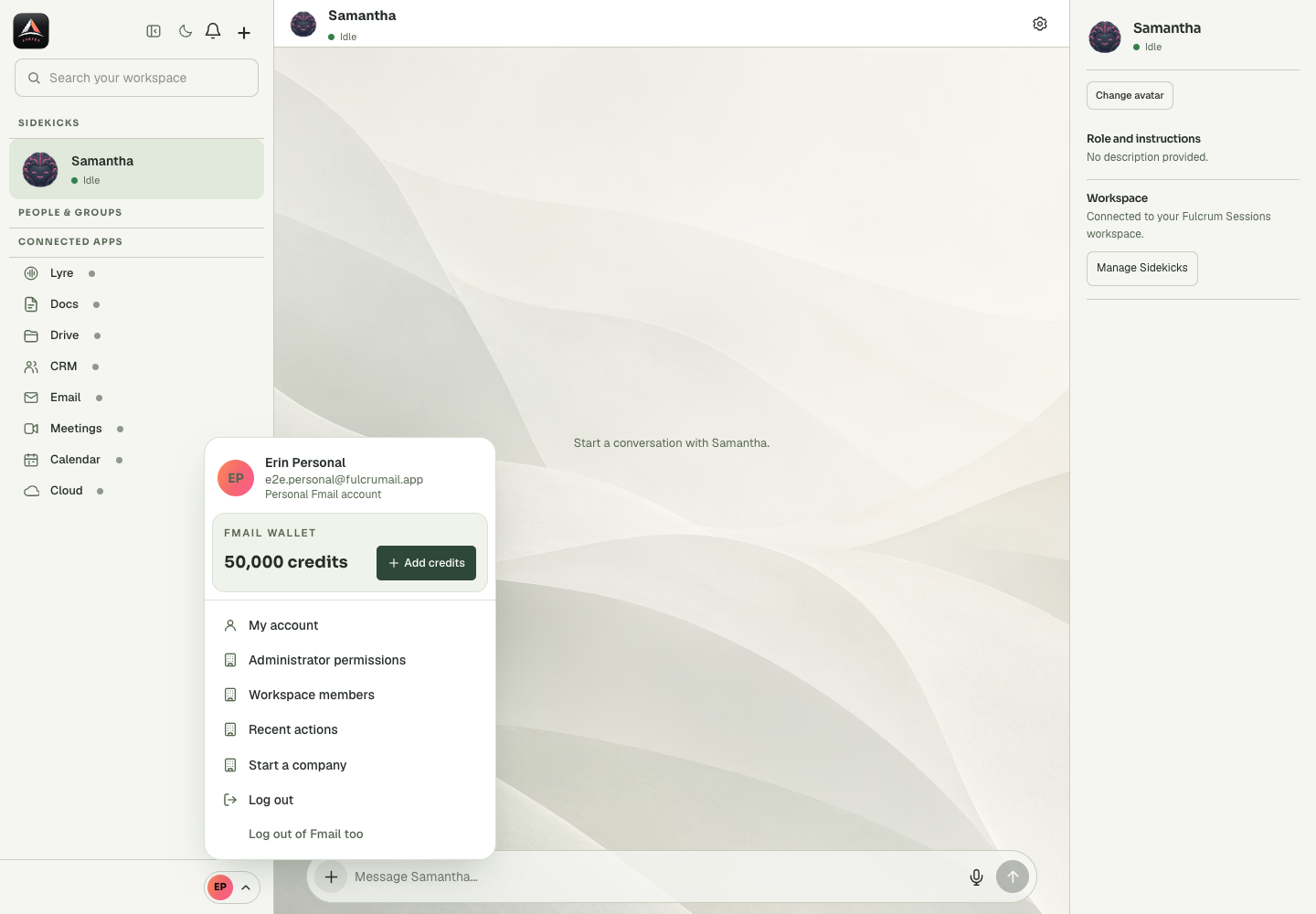
See the full Wallet walkthrough
The Wallet and billing guide includes seven Wallet screen views and the Chat entry point, with explanations of automatic top-up, reminders, connected apps and transaction checks.
Last updated