
Sign out of Chat or Fmail deliberately
Sign out of Chat or Fmail deliberately in Cortex Chat: practical steps, setting explanations, result checks and troubleshooting.
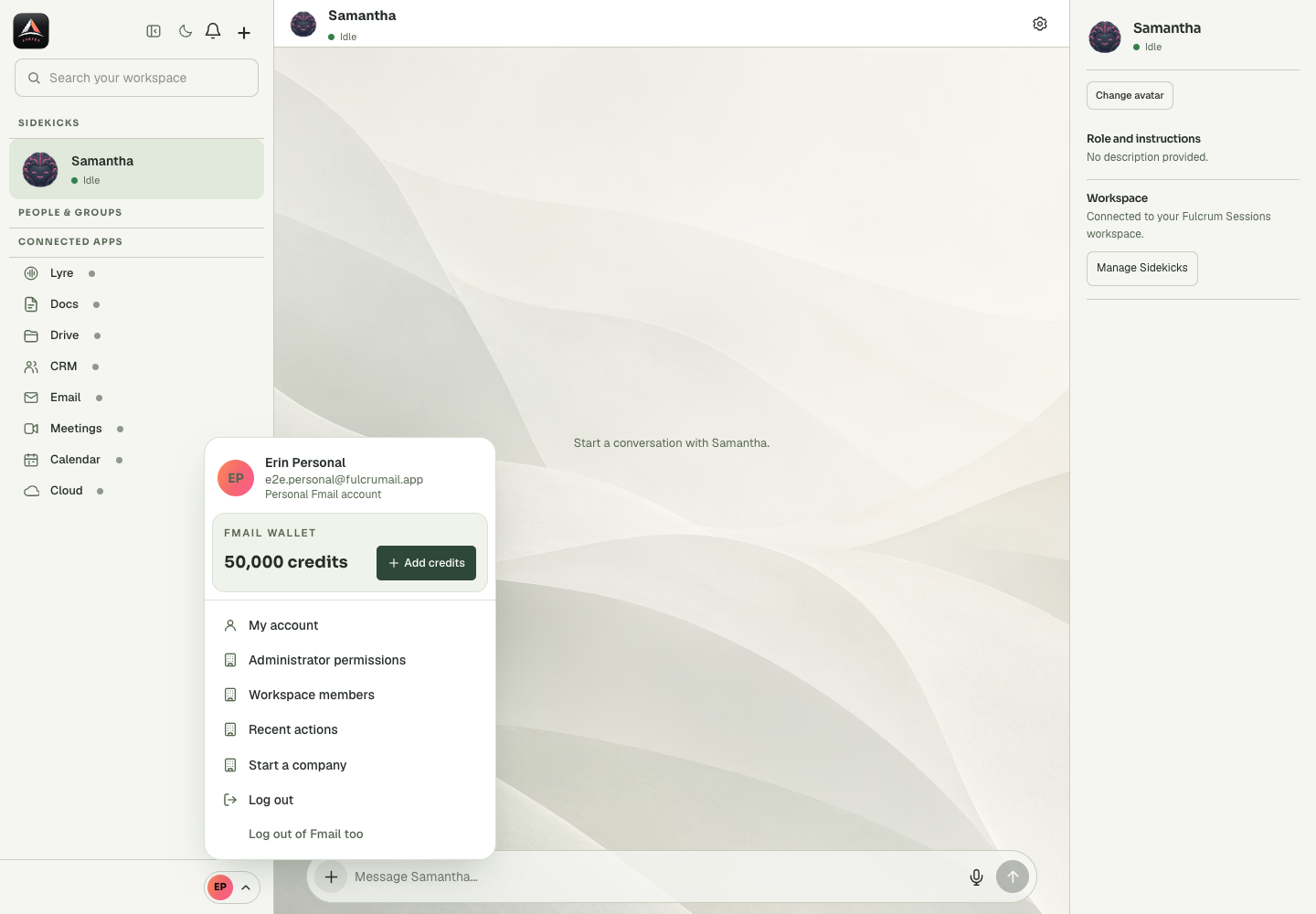
Log out and Log out of Fmail too have different scope. Sign-out also affects local Chat data such as saved private backgrounds. Use the action matching whether you are leaving only Cortex or the wider identity session.
Before you start
The profile menu links account identity, Wallet information and workspace administration. Changes to a member role or an administrator ceiling affect shared access; they are not conversation appearance settings. Read the selected person’s email and the workspace context before saving. Member invitations, group membership and Sidekick tool access are different layers, with separate confirmation and recovery paths. A stale-data message means you should reload current information before a new mutation. For financial work, the selected Wallet account and its transaction history matter more than an isolated balance summary. Never include account tokens, recovery information or payment data in a public support screenshot.
Step-by-step
- Open the account control and finish or preserve relevant unsent work.
- Read the chosen sign-out action and its scope.
- Sign out, then verify that the account is no longer available in the intended surface.
What the settings mean
| Control or state | Meaning |
|---|---|
| My account | Personal account settings and identity. |
| Workspace members | People, roles and invitation/status management. |
| Administrator permissions | Owner approval for management and tool delegation. |
| Recent actions | Recorded workspace operations, separate from conversation history. |
Check the result
The intended session is ended without confusing a local app logout with the broader Fmail identity.
If it does not work
If using a shared device, confirm the actual signed-out state. Closing a browser tab alone is not the same as ending the account session.
Continue with the right context
Return to the Cortex Chat guide index to choose another task. Keep the current account, assistant and conversation in view when following the next guide. To use the product, open Cortex Chat.
- Use the account menu and My account
- Read the Wallet balance shown in your profile
- Open the intended Add credits flow
Last updated