
Fulcrum Mail
What Fulcrum Mail includes, how its apps are laid out, and where to find guides for accounts, company workspaces, members and everyday email.
Fulcrum Mail is the email and workspace suite at fulcrumail.app. A free account gives you an @fulcrumail.app address and 5 GB of storage shared between Mail and Drive. A company workspace adds mail on your own domain, a team, and shared administration. The same account signs you in to the other Fulcrum apps.
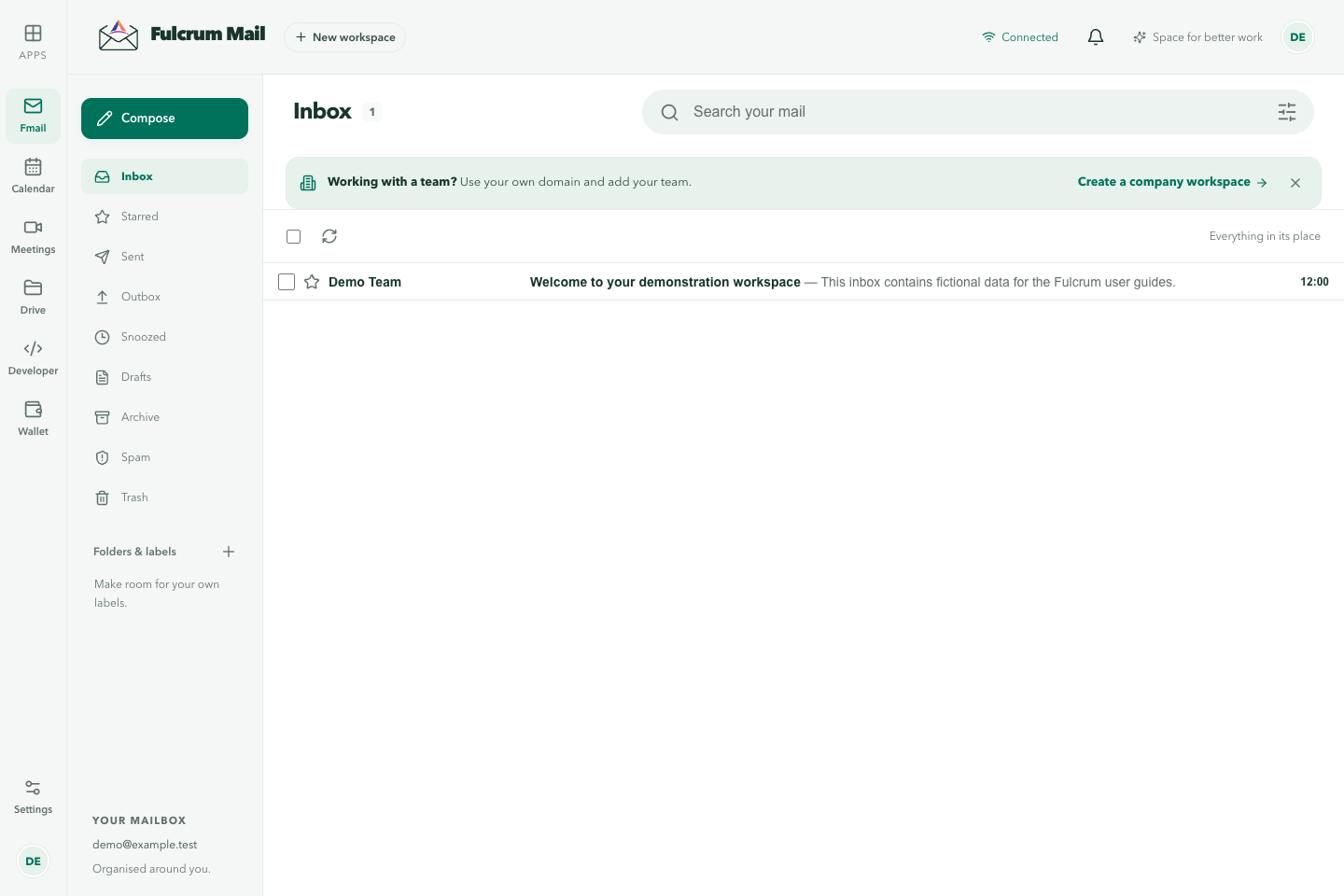
The apps in the left rail
Once you sign in, a rail on the left switches between the apps in your workspace:
| App | Shown as | What it's for |
|---|---|---|
| Fmail | Conversations | Your inbox, folders, labels, search and filters. See Mail basics. |
| Calendar | Events & schedules | Events, invitations and booking pages. See the Calendar guide. |
| Meetings | Video conversations | Browser video meetings with transcripts. See Fulcrum Meetings. |
| Drive | Files & folders | Files, company drives and share links. See Pages for public file links. |
| Workspace | People & settings | People, groups, domains and workspace settings. Owners and administrators manage these. |
| Developer | Apps & APIs | Registered apps and personal API tokens, for developers. |
| Wallet | Credits & billing | Your credit balance, subscription and top-ups. |
The Apps button opens Explore Fulcrum apps, which lists the other Fulcrum products you can open with the same sign-in, including Docs, CRM, Lyre, Code and Cortex. The public Fulcrum apps directory lists the same products.
Wallet and credits
Some Fulcrum services are paid with credits from your Wallet. The Wallet shows your balance as credit for the account, at 1 AUD = 1,000 credits, GST included. Its tabs are Overview, Subscription, Top up, Connected apps, Credit lots and History. Workspace guests don't see the Wallet.
Guides in this section
Pick a practical first-day workflow
Confirm sign-in, send and receive a test email, create a calendar event and upload a harmless sample file. If you work with a team, repeat the checks in the company workspace. This confirms the identity and workspace boundaries before real business information is introduced.
More workspace guides
Use Drive for file organisation and sharing, Docs for collaborative documents and Wallet for shared credit, subscriptions and history. App visibility depends on the account, workspace and permissions.
Last updated