
Understand listening, thinking and speaking states
Understand listening, thinking and speaking states in Cortex Chat: practical steps, setting explanations, result checks and troubleshooting.
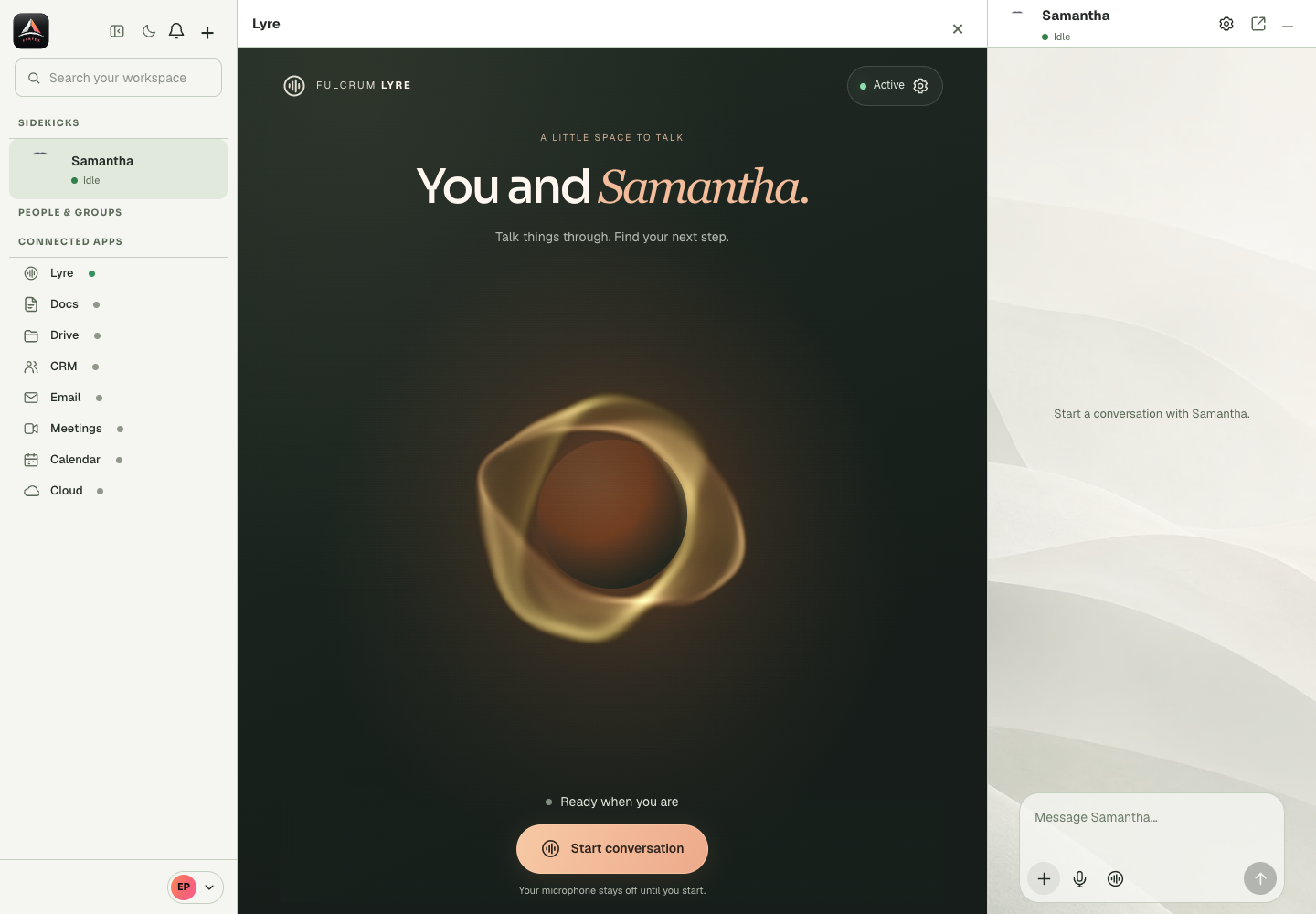
The live interface describes getting ready, listening, checking/thinking, speaking, ended and retry states. These are conversation states and can differ from the broader Sidekick runtime status shown elsewhere.
Before you start
Choosing a voice, activating the profile and starting a conversation are separate stages. A voice catalogue can load while activation fails. An activated profile can still be unable to start because the service reports a readiness or credits issue. The microphone and playback permissions introduce another layer when an actual session begins. Read the current status and the specific error at the stage where it occurs. Do not blame microphone settings for a failed activation request before capture has even started. Review the intended Sidekick profile before opening advanced Lyre settings, and reconcile an uncertain configuration or payment result before repeating it.
Step-by-step
- Read the Lyre panel’s current status and whether the microphone is muted.
- Give the active session a clear request, then observe the response rather than relying only on animation.
- If an error appears, read its text and end or retry through the supported controls.
What the settings mean
| Control or state | Meaning |
|---|---|
| Voice choice | The selected catalogue entry, which still needs saving. |
| Activation | The saved enabled state for the selected voice profile. |
| Readiness | Whether the service currently allows a session to start. |
| Live session | The actual connecting, listening, speaking and ended interaction. |
Check the result
You can distinguish a healthy conversation turn from an actual readiness or audio error.
If it does not work
A thinking state is not necessarily a failure. If repeated errors occur, inspect microphone permission, service readiness, connectivity and credits as separate causes.
Continue with the right context
Return to the Cortex Chat guide index to choose another task. Keep the current account, assistant and conversation in view when following the next guide. To use the product, open Cortex Chat.
- Choose live voice or a recorded message
- Activate voice for a Sidekick
- Choose or change a Sidekick voice
Last updated