
Files, folders and sharing in Fulcrum Drive
Upload and organise files in Fulcrum Drive, use company drives, manage sharing permissions, review versions and recover deleted files.
Drive stores files in the selected Fulcrum workspace. Open Drive from the app rail. Start by checking your account and workspace; the same person can belong to several workspaces with different files and permissions.
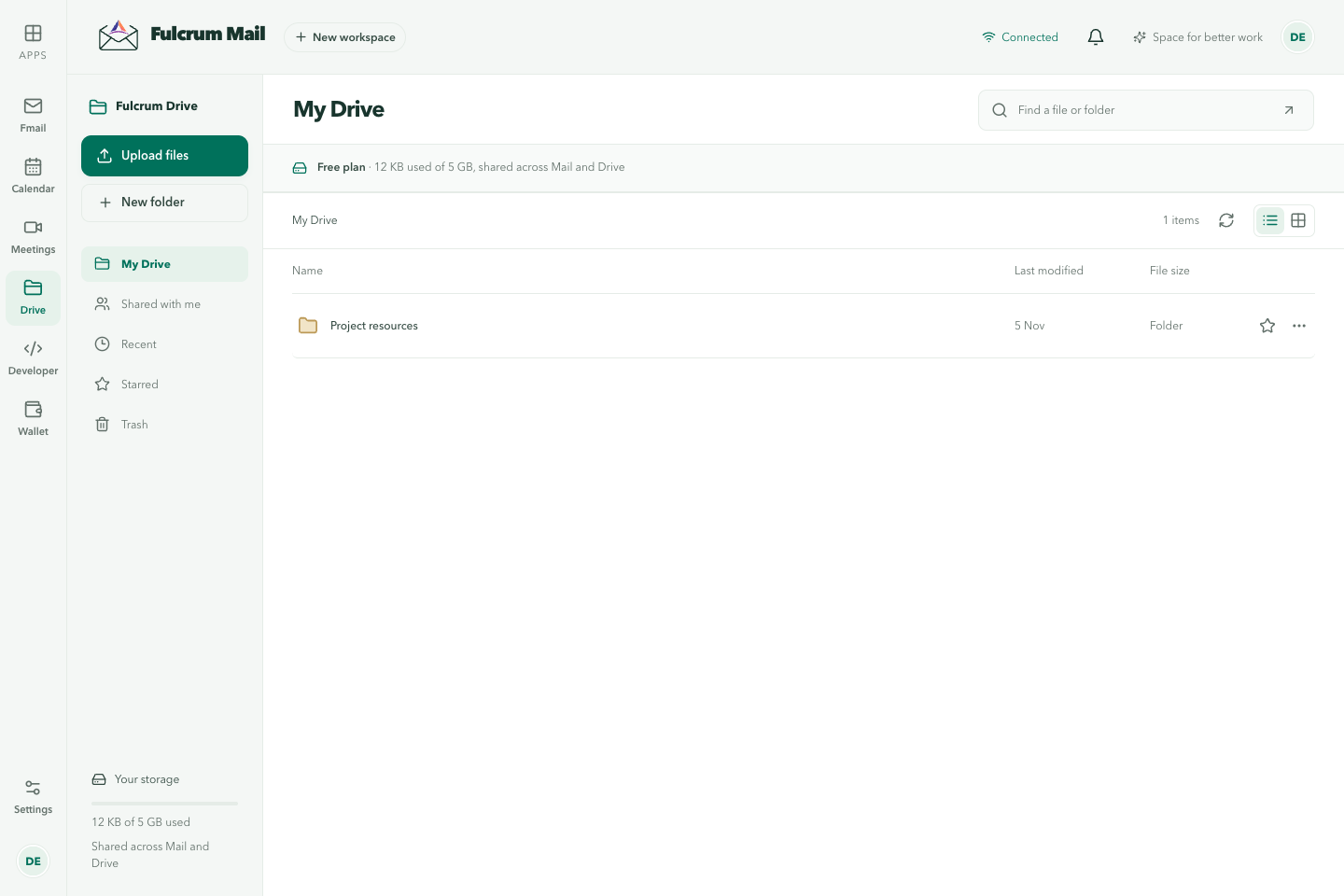
Find your files
| View | Use it for |
|---|---|
| My Drive | Your files and folders |
| Shared with me | Items other people have shared with you |
| Recent | Files you used recently |
| Starred | Files you marked for quick access |
| Trash | Deleted files that can still be restored |
| Company drives | Managed team spaces in a company workspace |
Upload and organise
- Open the destination folder in My Drive or a company drive where you can edit.
- Use Upload or drop a file into the file area. Watch the upload progress and confirm the file appears.
- Use the folder action to create a folder and group related material.
- Open a file's Details to rename, star or move it when your permissions allow.
Storage is shared with Mail. Check the usage indicator if an upload fails. A visible file is not necessarily ready to download: malware scanning can delay availability.
Share with colleagues
Open the file's Details, then Sharing. Choose the colleague and the appropriate role. A Viewer reads, a Commenter can discuss, and an Editor can change the file. Company drive access can be inherited from membership or a group; removing one direct grant may not remove inherited access.
Share outside the workspace
Use External links in Sharing if you own the file and your workspace allows external sharing. Choose the expiry and whether downloads are allowed. Anyone holding an active link may use it, so send it only to intended recipients. You can revoke it early. See Public file pages for the full procedure.
Versions and comments
Use the file's details to review available versions and comments. Check the timestamp before downloading an older version. For native documents, see Fulcrum Docs for collaborative editing, document comments and version history.
Company drives
Owners and administrators can create a company drive and grant access to people or groups. Drive roles include Viewer, Commenter, Editor and Manager. Keep the shared drive's membership aligned with the team, especially when someone changes roles or leaves.
Delete and restore
Move unneeded files to Trash, then check Trash before deleting anything permanently. Restore an item if it was removed by mistake. Deleting a file, revoking a share and removing a team member are different actions; check which one matches the problem.
Troubleshooting
- Missing file: check workspace, Shared with me, filters and Trash.
- Cannot edit: inspect your role and inherited permissions.
- Recipient cannot download: check link expiry, revocation, download permission and scan status.
- Upload failed: check remaining storage, network and the named file's error before retrying.
Last updated