
Choose between leaving and deleting a group
Choose between leaving and deleting a group in Cortex Chat: practical steps, setting explanations, result checks and troubleshooting.
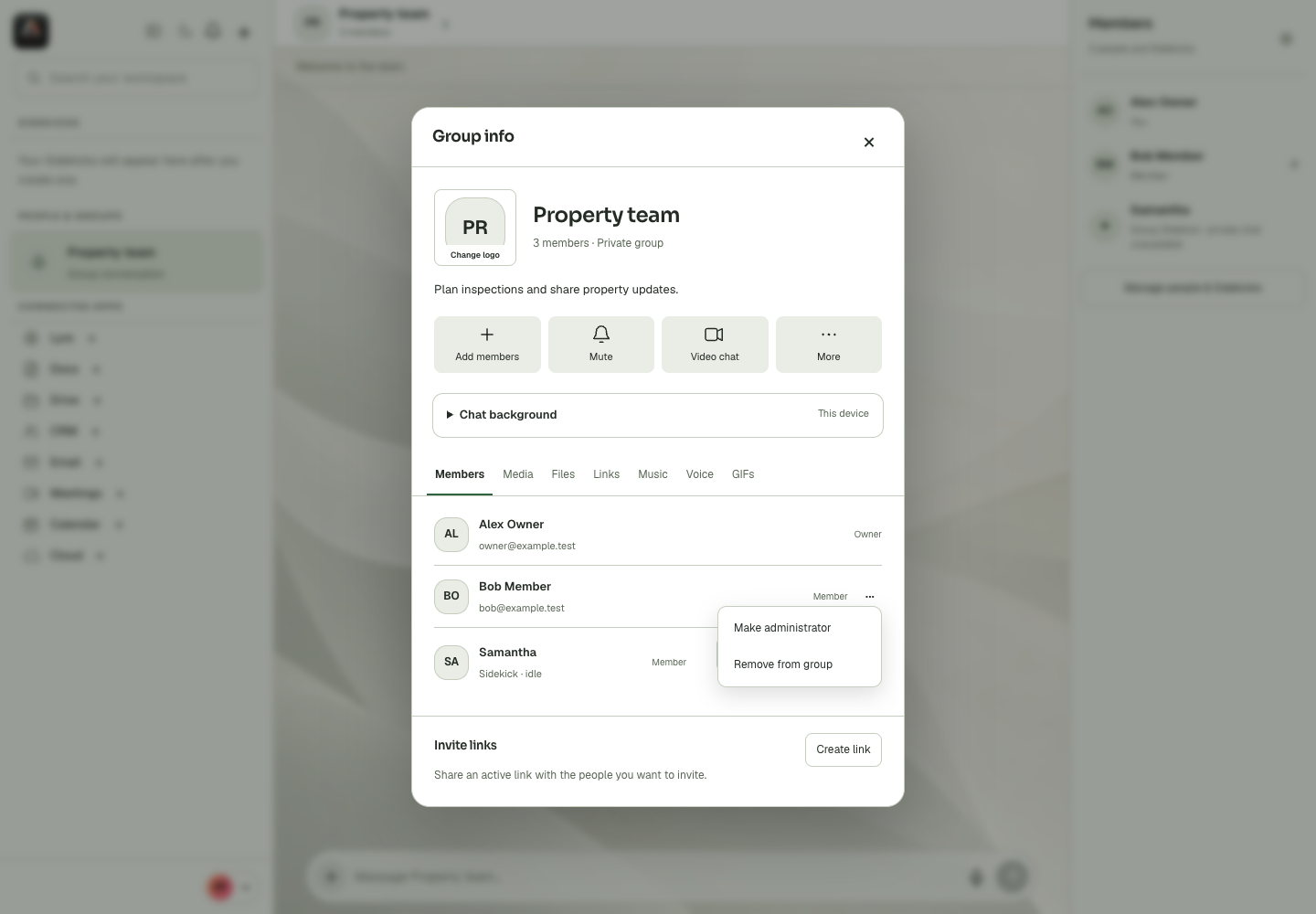
Leave group changes your participation; Delete group can remove the shared group for everyone. Only the owner can delete the group or change administrator roles in the supported group controls. Read the confirmation rather than treating these actions as interchangeable.
Before you start
Group identity, membership, welcome text, history policy and invitation rights are shared controls. They are different from a conversation background stored on one device. Owner and administrator capabilities can also differ: the interface exposes specific rights rather than making every administrator equivalent. Review the exact group and the current saved values before changing a shared setting. If an edit is blocked, the absent or disabled control may reflect a permission boundary. Refresh stale data rather than replacing a group to work around the problem. Removing a member, revoking an invitation, leaving the group and deleting the entire group each have a different effect.
Step-by-step
- Open Group info and identify whether your goal is to leave or permanently delete.
- Review the displayed action and its affected audience.
- Confirm only the intended operation, or cancel and preserve the group if you are resolving a temporary problem.
What the settings mean
| Control or state | Meaning |
|---|---|
| Identity | The group name, description and shared photo. |
| History | Whether joining members can read earlier conversation content. |
| Member rights | What group participants may send or invite. |
| Administrator rights | Specific group-management powers, separate from workspace tool access. |
Check the result
The resulting membership or deletion state matches the intended scope.
If it does not work
Do not delete a group to repair a missing message or app permission. Check filters, history and access first because deletion can be irreversible.
Continue with the right context
Return to the Cortex Chat guide index to choose another task. Keep the current account, assistant and conversation in view when following the next guide. To use the product, open Cortex Chat.
Last updated